
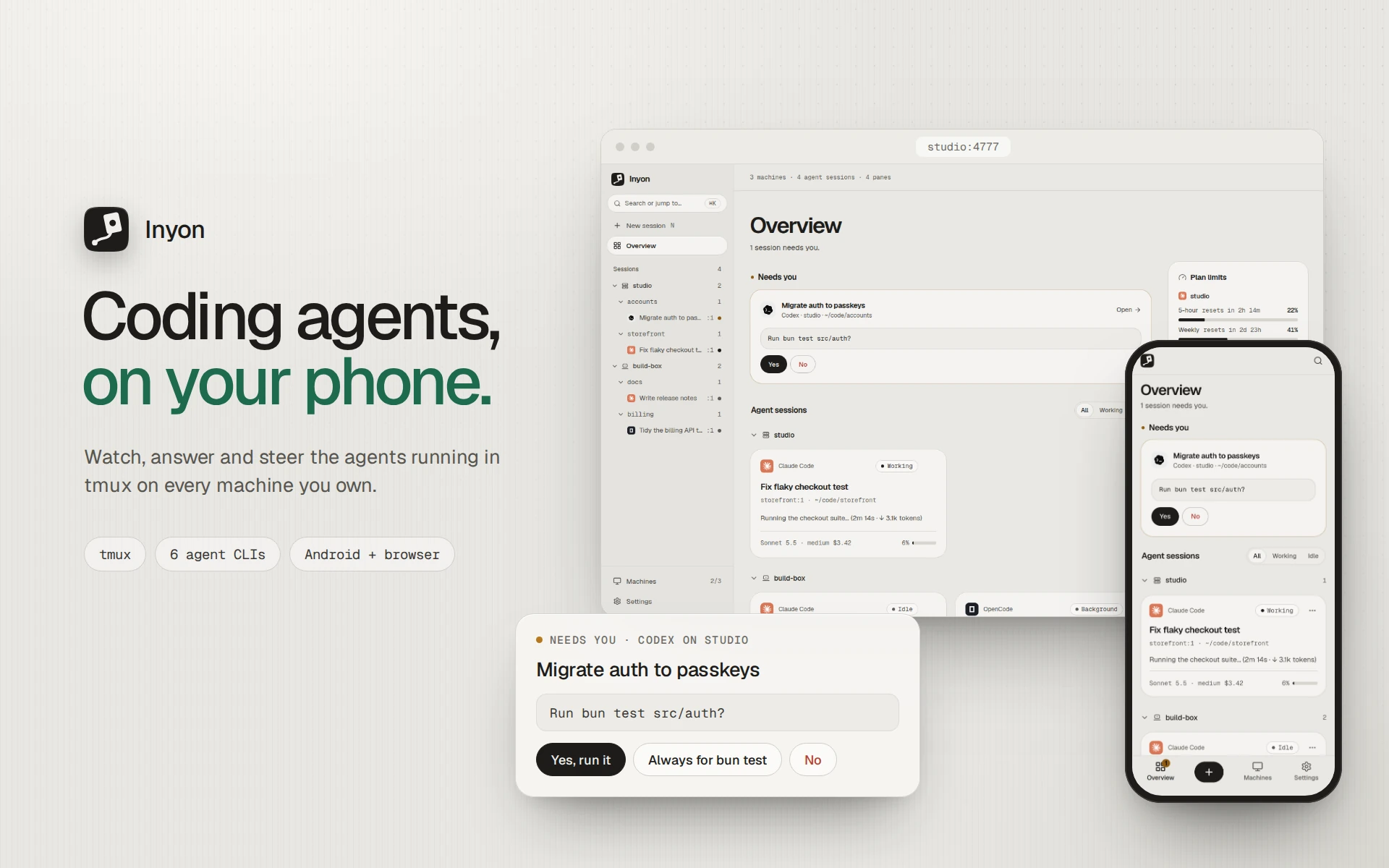
Inyon lets me answer the coding agents running on my machines from my phone. It's free, open source, and as of this week anyone can install it with one line or from npm.
Walking back to press Enter
I run Claude Code and Codex on a laptop and two servers, and each one is signed in to a different account. A long task usually stops at some point to ask something small: can I run the tests, can I edit this file, which of these two approaches. Until I answered, nothing moved.
The agents have their own remote features, but each follows one account at a time, and some only work if you started the agent their way. My agents were already running in tmux, often started over SSH an hour earlier. I didn't want to restart them inside something else. I wanted to answer them where they were.
What Inyon does
Inyon reads every agent session in tmux across my machines and shows each one as a chat: replies, tool calls, diffs, plans and to-dos. When an agent asks a question, the options arrive as buttons. I tap one, and Inyon types it into the pane, exactly as if I'd pressed the keys.

Nothing changes at the keyboard. When I sit back down, the terminal is where I left it, and the agent never knew anything was different. Each machine keeps its own account, because Inyon never signs in to anything.
It works with Claude Code, Codex, Gemini CLI, OpenCode, GitHub Copilot CLI and Antigravity CLI, on Linux, macOS and Windows.
Reading an agent without wrapping it
Most remotes for agents start the agent themselves, so they see everything it does. I chose to read from outside instead, which is harder and more fragile, but it means any pane works, including one started before Inyon was installed.
Claude Code and Codex write their conversations to session files, which give the chat. Questions are harder: agents don't publish them anywhere. Each one draws its prompt on the screen in its own layout, and that layout changes between versions. So Inyon reads the pane's screen with a parser per agent, tested against prompts captured from real sessions. That's the honest weak spot: a new agent release can break a parser until I update it, and three of the six readers are still in beta.

Reaching a laptop with no server
I didn't want to run a server for anyone, and a laptop usually sits behind a router with no open ports.
When a computer is set up for the phone, inyon opens a free Cloudflare quick tunnel. It signs the tunnel's current address with its own key and publishes it with pkarr, so the phone can always find it. The phone checks that signature and runs a Noise handshake with the computer's key, which it got from the QR code, and the computer only lets in phones it has paired. The tunnel only ever carries ciphertext. If the machines share a VPN like Tailscale or WireGuard, the Android app tries that address alongside the tunnel and keeps whichever answers first.

The cost of having no server is notifications. Only a push service can wake a closed Android app, and I won't run one, so the app keeps a small "Inyon is connected" notification and gets no alerts once it's closed. In a browser, each computer sends standard Web Push itself.
Making it safe to install
Inyon types into the same panes as my agents, so I'm asking people to trust it with a lot. I spent more time than I expected on the install path.
Every release's checksum list is signed with minisign.
inyon setupandinyon updaterefuse a list without a good signature before they download anything, and the one-line installer checks it too when minisign is installed.The website's download mirror checks the same signature and every file, and publishes nothing if one fails.
On npm, the packages are published only by the release workflow, through npm's trusted publishing. There's no npm token to steal, each version carries a provenance statement, and nothing runs at install time.
Every third-party GitHub Action in the release pipeline is pinned to an exact commit.
None of this makes Inyon bug-free. It does mean the file you install is the one the release built.
What's rough
There's no iOS app yet. The Gemini, OpenCode and Copilot readers are in beta. On Windows, through psmux, the terminal view shows what's on screen without scrollback.
Try it
On each computer:
curl -fsSL https://inyon.abhashchakraborty.tech/get.sh | shor npm install -g @abhash-chakraborty/inyon, then inyon setup. Scan the QR code with the Android app from the download page, or run a hub and use a browser. The docs cover the rest, and the code is on GitHub.
The project page has more on how I built it. Next I want an iOS app and fewer beta labels, and I'd like to hear which agents you'd use it with.