

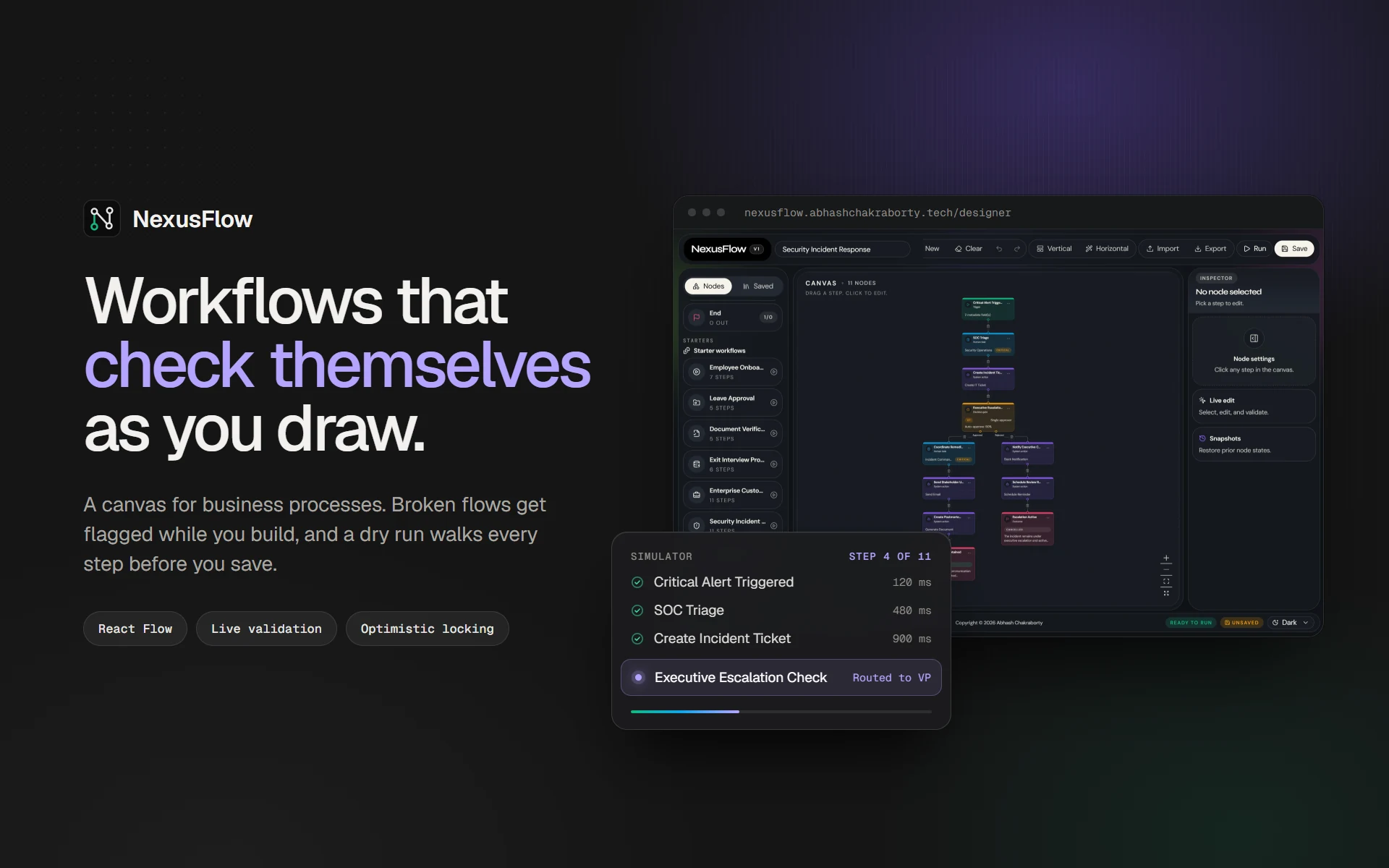
NexusFlow is a visual designer for business processes like onboarding or leave approval. You draw the flow on a canvas, it flags mistakes while you draw, dry-runs every step, and refuses a save that would overwrite someone else's newer version.
What it is
A browser canvas with five kinds of step: Start, Task, Approval, Automation and End. You drag them in, connect them, and fill in each one from an inspector panel. Eight starter flows, from employee onboarding to a security incident response, give you something real to edit straight away.
I built the core solo in three days in April 2026 as an engineering case study, then kept going on the parts I cared about.
Why I built it
Process tools often find a broken flow only when it runs: an automation with no action picked, a step nothing leads to, a loop that never ends. That is the most expensive moment to find out. I wanted the canvas itself to say what is wrong, and a dry run to show the order things would happen in before anyone relies on it.
The other problem is quieter. When two people edit the same flow, the last save usually wins, and nobody notices what was lost.
What I built
The canvas is React Flow with a Zustand store that keeps the graph, the selection and an undo history. The rules live in plain TypeScript functions that both the browser and the API import, so the canvas and the server always agree on what a valid workflow is.
Validation runs on every change: one Start, at least one End, nothing into Start or out of End, no disconnected steps, no cycles, and an action on every Automation step. Problems show as badges on the nodes and a count in the status bar.
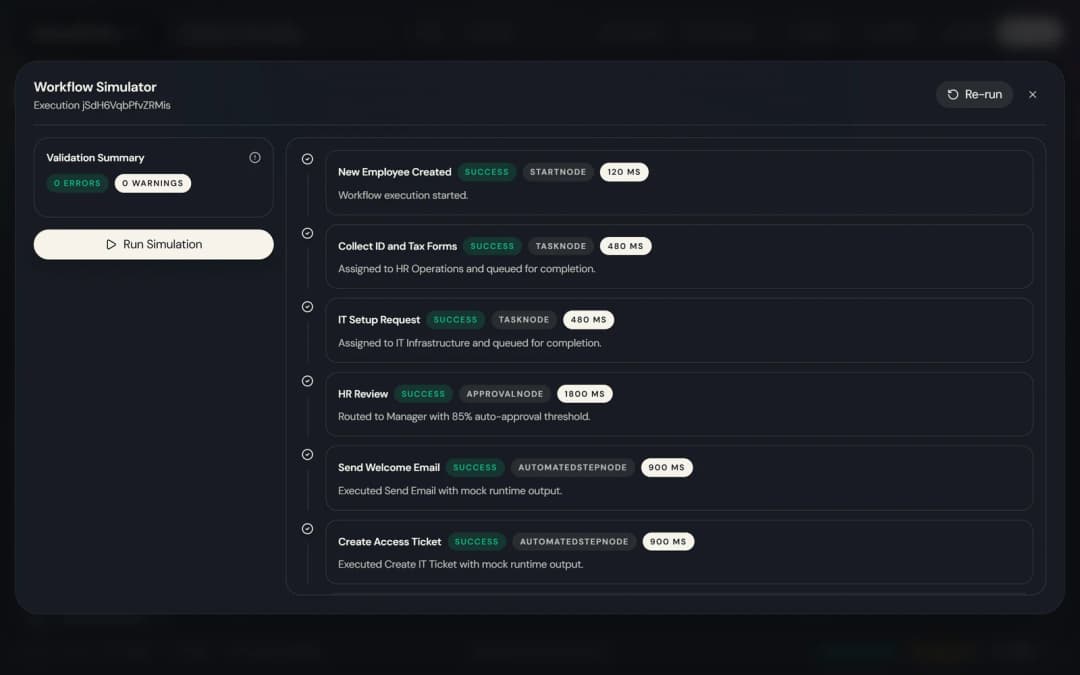
The simulator walks the graph and returns a timeline with each step's status, message and duration.
Saved workflows live in SQLite through Drizzle, with a version number on each one and snapshots of the last 10 states of every step.

What was hard
Making the simulator predictable. A preview that changes between runs is no use for checking a flow, so it orders steps with a topological sort and gives each type a fixed duration: 1.8 s for an approval, 0.9 s for an automation. The same graph always produces the same timeline. The trade-off is that it walks every step, both branches of an approval included, rather than picking one path. That is right for checking a flow's shape and wrong for predicting one particular case.
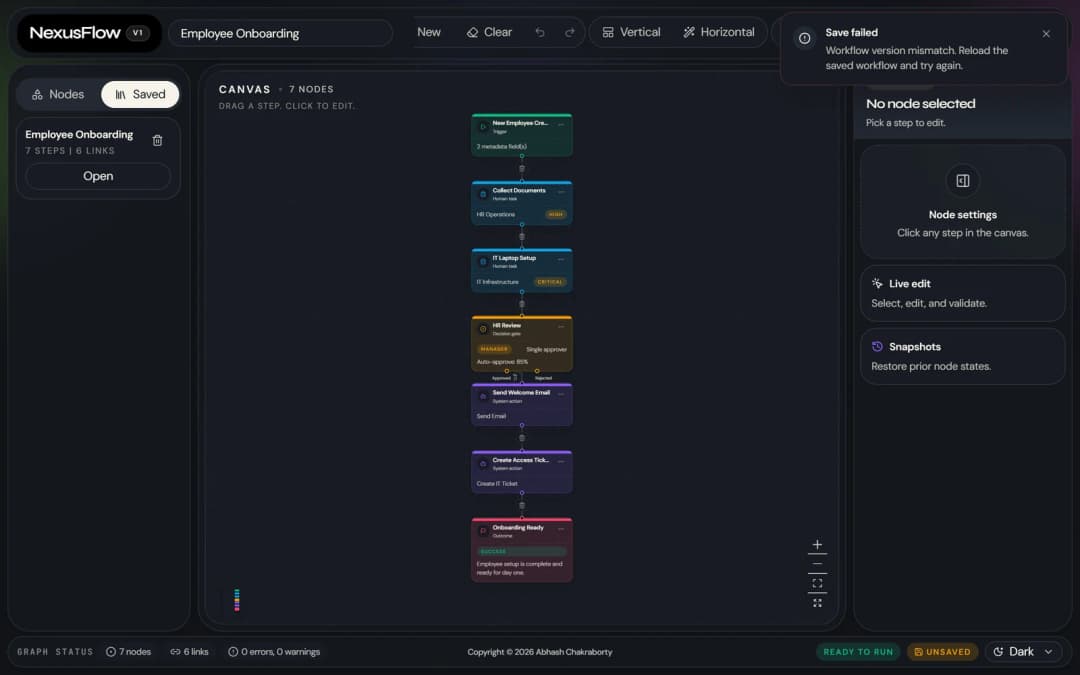
Two tabs saving the same workflow. I didn't want to lock a flow while someone edits it, so every save carries the version it started from. The update is a single statement that only matches the row if that version is still current, and it bumps the version as it writes. If no row matches, someone else saved first, and the API answers 409 instead of overwriting their work.
Trusting what comes back from the database. Stored graphs are parsed and validated again on every read, so a corrupted row returns a clear error instead of crashing the route. The API also caps request bodies at 256 KB, rejects control characters and rate-limits every endpoint.
Where it landed
It's live, with 24 Vitest tests covering the validator, the simulator, request parsing and the optimistic-lock query. The Docker image runs as a non-root user, applies migrations on start and keeps the database on a volume.
The public demo sits on a serverless host with no writable disk, so the canvas, validation and starter flows work there, while saving and the simulator need the Docker build.